
Unblur Image
Unblur image online with a focused edit for a soft product shot, building or landscape. Upload the original and request clearer edges. Review small details before keeping the result.

Unblur image edits start with a close look
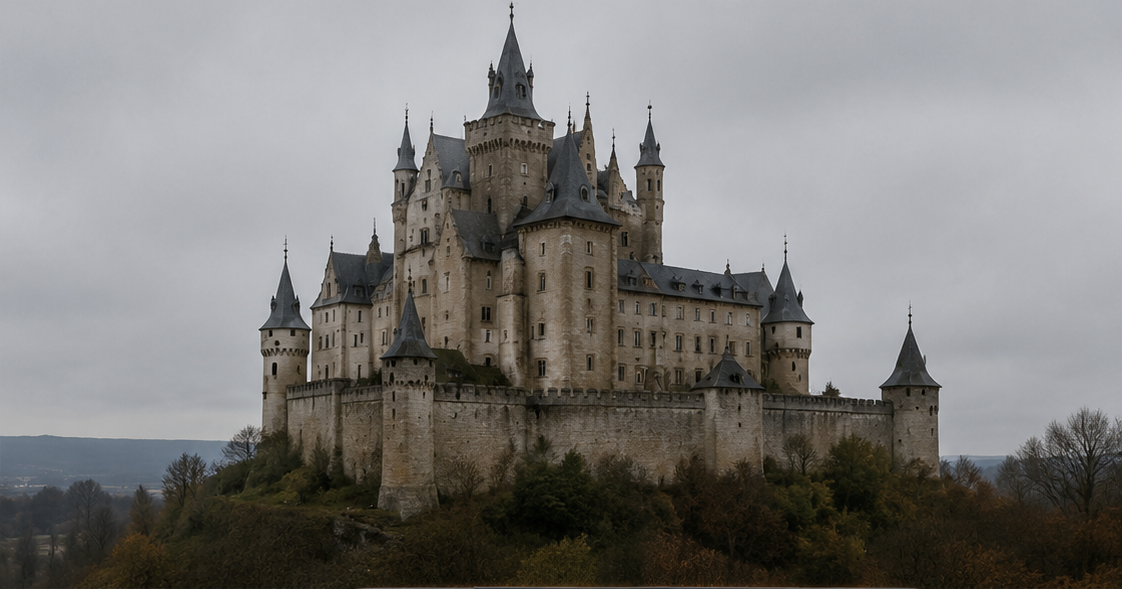
Source illustration - no unblur applied
Rooflines, windows and stonework
Before you unblur image online, choose clear reference points. This untreated building illustration offers straight rooflines and windows to inspect. Our image unblurrer has not processed this example; sharper-looking stonework would not prove that missing detail had been recovered.

Unblur image prompts
Pick the subject, then state which details must stay the same.
How to unblur image online
Use the largest original you have, before extra compression or resizing.
Upload the blurry image
This image unblurrer needs one source. A full-size file gives more context than a small screenshot when you unblur image online.
Name what needs clarity
Specify where to fix blurry image edges and where to keep intentional background blur. Check available unblur image free trial credits against the displayed cost.
Compare the result
After you unblur image online, view both versions at the same size. Download only after checking important shapes and details.
Unblur image edits for soft edges and mild blur
Blur hides information. A sharper-looking result can still contain details that were never in the original.
Fix blurry image edges selectively
A slightly soft object is a different task from a scene with no readable edges. Describe the part that needs clarity. If the background was deliberately out of focus, ask to keep it that way.
Unblur image limits with motion
Movement can leave doubled edges or long streaks. A generative edit may change shapes while making them sharper. Check the object itself, not just the overall impression of clarity.
Review your unblur image output
A quick comparison can catch changes that look convincing at thumbnail size.
Edges without halos
Check unblur image results for bright or dark outlines around objects. Strong sharpening can make these more obvious.
Unchanged proportions
An image unblurrer may alter handles, corners and rooflines. Compare their shapes when you fix blurry image details; extra texture is not enough.
Believable materials
An unblur image free trial can help you assess changes to wood, fabric or stone before spending more credits. Keep your source nearby for comparison.
Original composition
When you unblur image online, check framing, color and background. More apparent detail should not come at the expense of your composition.
Unblur image, enlarge or denoise?
These edits address different visible problems.
Check your unblur image free trial
Available trial credits may cover the displayed cost. Bring your source and name the edges you want to clarify.
Open unblur imageUnblur image starting points
Use images you own or have permission to edit.
Product concepts
Fix blurry image outlines in a soft product photo. Check that the image unblurrer keeps the item's shape and finish recognizable.
Architecture
Unblur image online to address mild softness around a building. Count windows and compare rooflines before publishing.
Landscape photos
Try available unblur image free trial credits on a soft foreground. Ask the image unblurrer to retain distant haze and intentional depth of field.
Unblur image questions
Can I use the unblur image free trial?
Available trial credits may cover an edit at the displayed cost. Free use is limited. Further generations need sufficient credits, so check your balance before submitting.
Is this image unblurrer a lossless repair?
No. It uses a generative model to make a new image. Attempts to fix blurry image details can change them even when the result looks clearer.
Can this tool fix blurry image files with severe blur?
You can try, but heavy blur leaves little reliable detail. An image unblurrer cannot establish what an unreadable object or inscription once looked like.
Can I unblur a photo online without installing anything?
Yes. You can unblur image online through this browser editor. Upload the source and submit an edit; processing runs online, not as an offline filter.
Is deblur image the same request?
Deblur image and unblur image usually describe the same goal: reducing visible softness. They do not imply a particular repair algorithm or guaranteed result.
What if my unblur image free trial changes too much?
Keep your source. Narrow the prompt to one area and remove broad requests for extra detail. Another generation uses credits and may still alter the image.
Start with a focused AI editing tool
Choose a dedicated workflow, upload a photo, and use a ready-made prompt to move faster.
Image Utilities
Simple tools for image files
Handle image file-size requirements locally, without uploading a file or signing in.